Tuesday, December 23, 2008

More Lumiquest Softbox III Testing

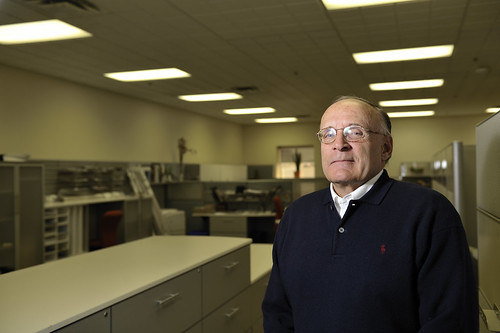
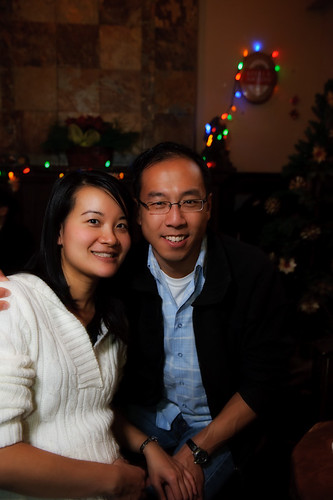
Given the harsh winter (and it just officially started this Sunday) I really haven't or rather dared to test this unit outdoors, so I took it along to my camera club's holiday party, which took place at a local pub. I slapped it on my SB-800 set to slave and added another SB-800 to my camera on commander mode. I added the diffuser that comes with the SB-800 to the strobe that had the Lumiquest Softbox III on it to diffuse the light even more. The settings on the camera were as follows: F4, at 1/15 shutter speed and ISO 1000, flash set to rear sync, which is probably the key to the whole setup (thanks for the tip Taylor)

As you can imagine, being indoors and in a dark setting to top it off, the trick resides in positioning the softbox just at the right distance away from the subject, otherwise you walk a thin line between "hot zones" around the face or an underexposed subject. For this particular photo, the power on the SB-800 was set at 1/128 and I still had to handhold the strobe above and behind my head to get a decent exposure on the faces with the minimal amount of blown highlights on the cheeks and forehead. Even then, I had to go into Photoshop and fix/eliminate a few.
TPMGDEC08-23

Skin smoothing and Glamour Glow were added via Nik's Color Efex Pro 3.0

This next photo was taken using the same technique, but using a different post-processing technique in Lightroom:
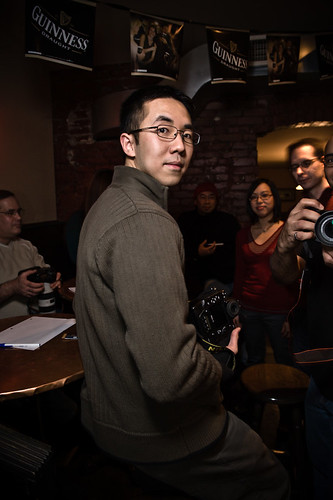
TPMGDEC08-10

Overall, I'm very pleased with the results obtained with the Lumiquest unit so far. I won't be putting the translucent umbrellas up for sale on Craigslist any time soon but it's good to know that whenever I feel lazy enough not to carry around my tripod bag (which I use to carry my umbrellas and light stands)there's a very portable alternative available.

Tuesday, December 16, 2008

Lumiquest Softbox III

I had heard many good reviews about this portable unit for close range portraits and such. David H. had nothing but good things to say about it so I decided to break down and buy it since it's very affordable. I had the opportunity to test it out today with a new co-worker for whom we needed to do a company announcement accompanied by a photo. I dropped the ambient exp. by about 1 stop and let TTL metering figure out the rest. I will try to post side by side comparisons with a shoot-through umbrella but right now it looks like it delivers as promised.

Murray

Wednesday, December 10, 2008

Lightroom Post processing

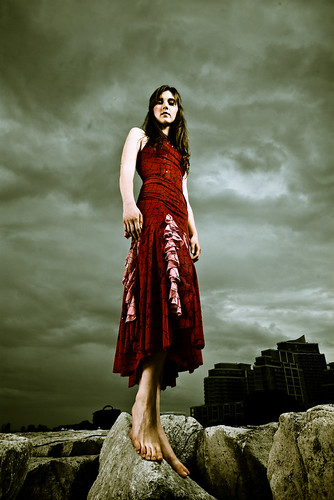
Some people at Flickr asked me how the post processing of this image was done:

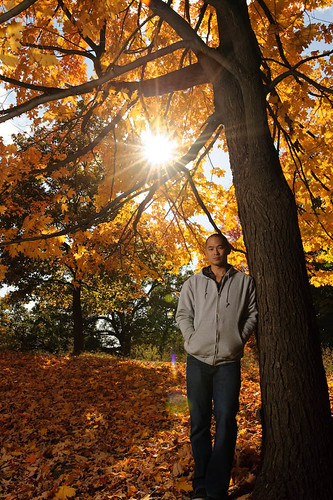
Nyki Palmer @ Lake Shore

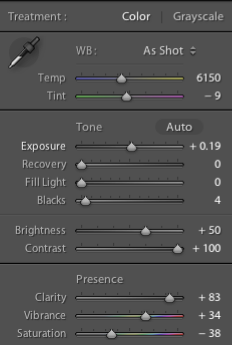
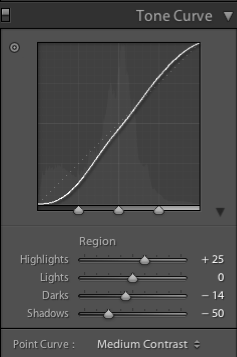
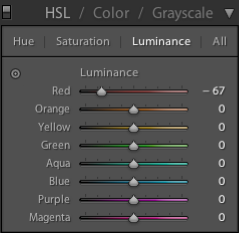
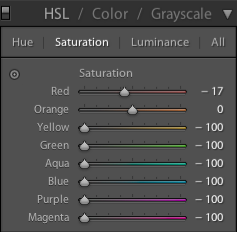
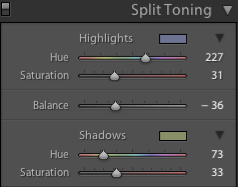
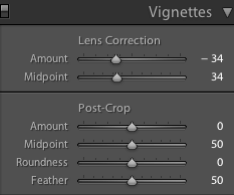
As I mentioned in the Description section, it was all done within Lightroom and used Matt Kloskowski's Sin City preset as a starting point. Okay, so I'll shut up for now and present you with the different settings used in Lightroom to achieve the look shown above.

Step 1.
Lightroom Settings 1

Step 2.
Lightroom Settings 2

Step 3.
Lightroom Settings 3

Step 4.
Lightroom Settings 4

Step 5.
Lightroom Settings 5

Step 6.
Lightroom Settings 6


Starting Image:
Nyki No Post Processing

Monday, November 10, 2008

The Big Chill is Coming

Even though the winter doesn't officially start until Dec. 21st, it sure felt like we were deep in it his past weekend. Jacqueline, came out all the way from Vancouver for a photography-filled week with various local photogs. Neil and I were one of those lucky ones who managed to capture her vibrant personality on digital. The weather was better than initially forecasted, as it didn't rain on us until after we were done but it was cold nonetheless.

We set up equipment just outside the Distillery District (Toronto, Canada) in front of an abandoned restaurant called Canary. Cops stopped by to check out what we were doing but they were okay with us taking pics, they did stick around for about twenty mins. to make sure we were in fact taking pics, as opposed to something illegal.

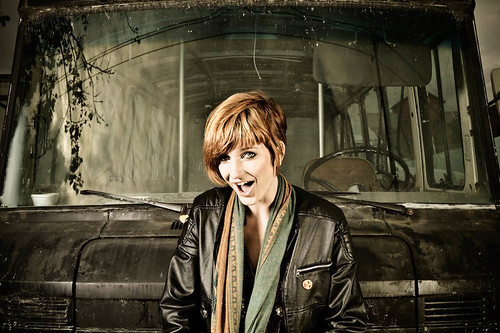
The setup for all the shots in the set was simple, two lights most of the time positioned at 45 degree angles in front of the model. One of the lights (B1600) was fitted to a 22" Beauty Dish and used as a main light while the second (B800) had a Paul C. Buff medium foldable Octabox attached to it and used for fill.

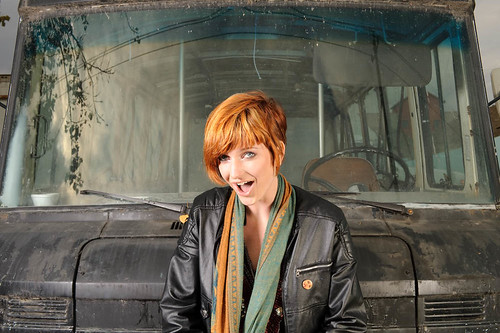
The final look of the images was achieved through Adobe Lightroom with further tweaks in Photoshop CS3. Here's a before and after:

BEFORE
Jacqueline at  Distillery District - RAW

AFTER
Jacqueline at the Distillery District

Thursday, October 30, 2008

The Learning Curve

Sometimes you think you have the shot, you look at the LCD screen quickly to check but you really don't pay too much attention because you get caught up in getting more poses and more shots. Well, this is a perfect example of a shot that had the right lighting but a hard shadow ruined the whole thing. The hard shadow thrown across her neck came from the pose and I didn't notice it until I opened the file in Lightroom (aren't you happy when that happens?). Anyways, at least it gives the model an nice decapitated look :-) Have a happy Halloween everyone!

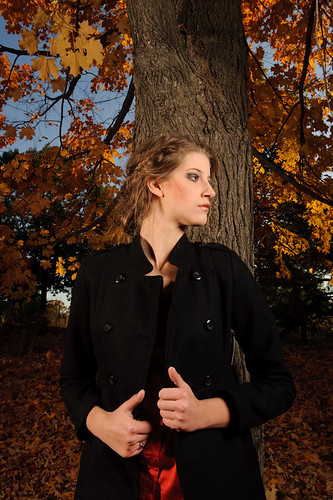
Lora at High Park 4

Friday, October 24, 2008

Think Post Processing First

If you read through internet forums as well as trade mags such as DPP (Digital Photo Pro), pros relying heavily on post processing for their trademark look seem to agree on one thing, you have to see the end result in your head first before you can even touch the camera. Having a pretty good idea of your concept and how you want to execute it will help you a great deal in setting up lighting and directing your subject. Going into a photoshoot with no particular aim or idea has proven quite fruitless for me and more often than not I end up scrambling for different post processing techniques trying to bring a dull image to life by the miracle of Photoshop.

This is one such example, I went through 50+ shots after this photo shoot and this was the only image that caught my attention. From there, I realized the lighting was ideal for a certain PP technique and that was it. Needless to say the models never made final selects out of the proofs, which tells me that they weren't very happy with what I shot. Live and learn.
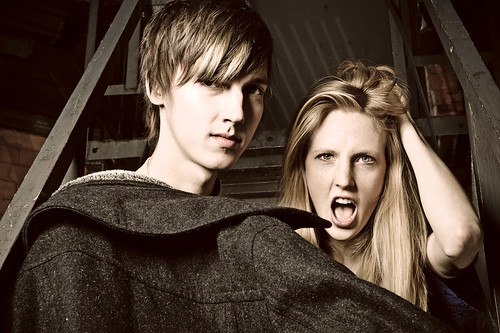
Sietzka and Jussi

Wednesday, October 22, 2008

On Location - High Park. Toronto, Canada

On Saturday, fellow photographer and Strobist, Neil (http://www.flickr.com/people/neilvv/) had arranged a photo shoot with Lora (http://www.modelmayhem.com/LoraIngram) from Model Mayhem. Finding a suitable location was a bit of a challenge as there were plenty of people everywhere due to the nice, sunny weather. We ended up at High Park, hoping to get some fall colors. The setup was pretty simple, an AB1600 on a 22" beauty dish as main light powered by a Vagabond II portable battery and a Speedotron head powered by a Speedotron battery pack as fill. The AB1600 was placed at camera right and in front of the model, while the Speedotron was placed to camera left slightly behind the model.

1. This shot was one of the first test shots we did, without the fill light.
Lighting Test with Neil

2. This one incorporated the Speedotron as fill light.
_DSC4249

Bundle up, it's getting colder up here.