Showing posts with label toronto. Show all posts

Friday, August 13, 2010

Toronto Portrait Photographer: Alien Bees B1600 with Beauty Dish

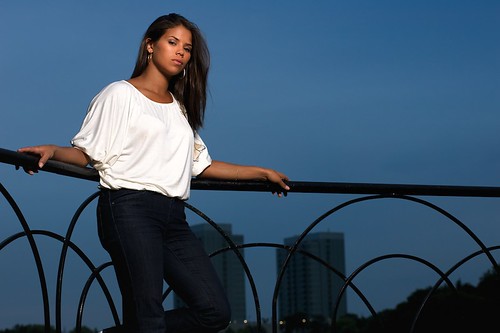
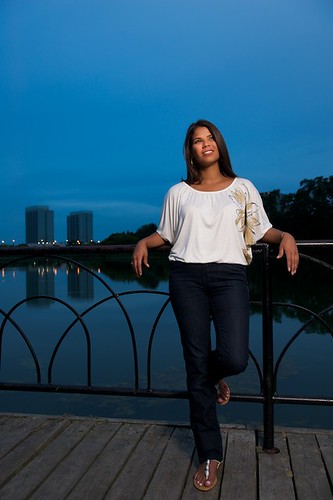
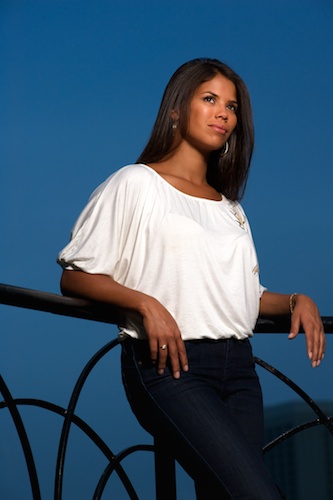
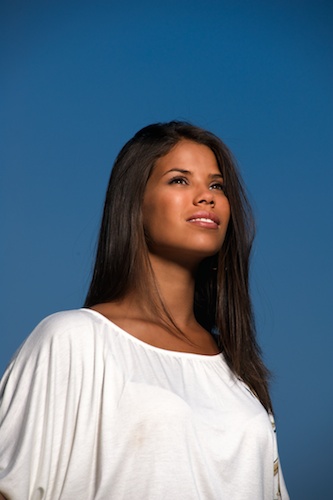
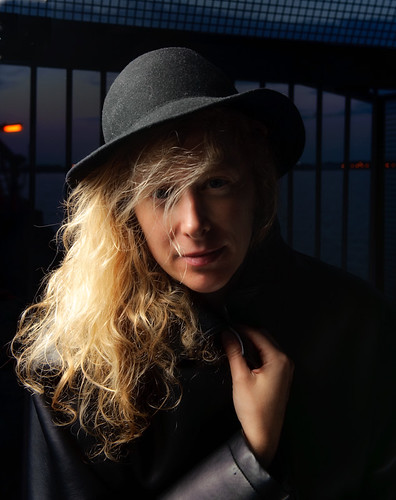
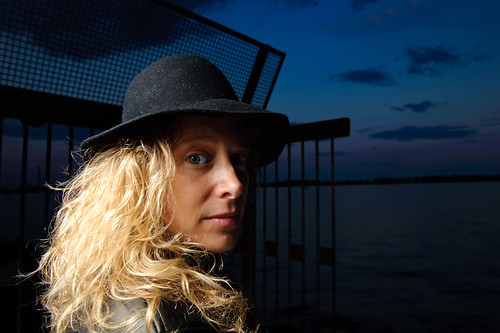
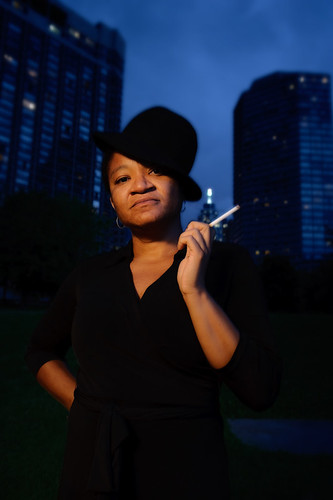
The shots in this post were taken at High Park in Toronto. I was commissioned for a portrait session about a month ago, and decided to follow the old adage: "Better bring it and not need it than need it and not have it" regarding equipment. Bringing a Kata bag with two strobes, a Vagabond II battery and several stands, along with a foldable octabox and beauty dish requires a certain level of fitness to carry around a park, one that I certainly didn't have. I'm so glad I dragged that stuff around through, because the results were quite pleasing. The following shots were done using a B1600 attached to a 22" beauty dish with a difusser sock over it. The strobe was triggered using Pocket Wizards, and the power was set at 1/8 power for most of them. In my next post I'll put some pictures up of the shots that were done using an SB-900 with a HONL speed grid, which are ideal for creating dramatic lighting.

Portrait Session at High Park 3

Portrait Session at High Park

Portrait Session at High Park 5

Portrait Session at High Park 4

Saturday, September 19, 2009

Graphic Design in Toronto: Business Cards

Even though I concentrate heavily on photography these days, I still do the occasional freelance graphic design job for people in Toronto and the GTA looking for logos, business cards, brochures, ads, and even web site design. This particular images is that of a business card and logo I designed for a high end Audio and Video installation company:

ModernAV_BC_Front7

Tuesday, June 30, 2009

SEO Optimization for Photographers and Bloggers in General Part 2

If you want to learn more about submitting your Blog to blog directories, creating sitemaps for Google and other search engines, and other important topics related to search engine optimization, then I highly recommend you go to this site:

Tips for New Bloggers

The articles are very easy to read and the explanations are quite detailed.

Monday, June 29, 2009

SEO Optimization for Photographers and Bloggers in General Part 1

After spending countless hours tweaking and messing around with code for both my blogs/sites (this one and juanrojophotography.com), I've picked up a few URLs where you can go to take bits of code and paste into your own. It really don't requires any understanding of programming, you just have to follow the instructions given on the site and you'll be on your way. This is one of those URLs:

This Link gives you a tutorial on how to change the title of your post to appear as the main title of the page. By the default, when you first setup your Blogger blog, the title for your blog appears on every single page, even for archived posts and to top it off it's placed right in front of the post title. From a search engine stand point this is supposed to be quite counterproductive for your search engine rankings, as Google or any other search engine for that matter will only pick up a limited amount of words from the title to index it. If a good chunk of that title is already taken over by the Blog's name, then your post might go unnoticed by Google as the title of the blog has already been indexed by Google.

Monday, June 15, 2009

Toronto Wedding Photographer: Angela and Sunny's Engagement Session

This past Saturday (June 13, 2009) we had the pleasure of doing an e-session for Angela and Sunny. Probably the most easy-going and nicest couple I've met to date. Angela decided on The Brickworks as the location was very familiar to both of them, and quite frankly the surrounding area is pretty much ideal for an engagement photo shoot. When I woke up that morning the sky was overcast, which I thought it would be ideal from a lighting standpoint. However, by the time we met up with them at 8:30, the sky had opened up again and it was extremely bright. It was quite challenging trying to avoid harsh shadows but within the first hour, the clouds moved in again and it made things a bit easier for Shelley and I.

Here are some shots from the session:
Angela_Sunny_06_13_09-2

Angela_Sunny_06_13_09-17

Angela_Sunny_06_13_09-24

Angela_Sunny_06_13_09-33

Angela_Sunny_06_13_09-20

Angela_Sunny_06_13_09-26

For the Strobists reading this post most of the lighting was done using Nikon's CLS with one single SB-900 set to Remote mode and triggered via an on-camera SB-800 set to commander. The first 30 mins. or so when it was really bright, I used Pocket Wizards to trigger the SB-900.

Tuesday, May 12, 2009

Wedding Photography in Toronto: Floral Arrangements

So the agenda for our wedding is right on track, thanks in great part to Miriam's advanced strategic planning. Last Tuesday I went to check out the floral arrangements with her. As soon as I get the info on the lady who put them together, I'll post it here because I would highly recommend her to fulfill any needs you might have for your own wedding.

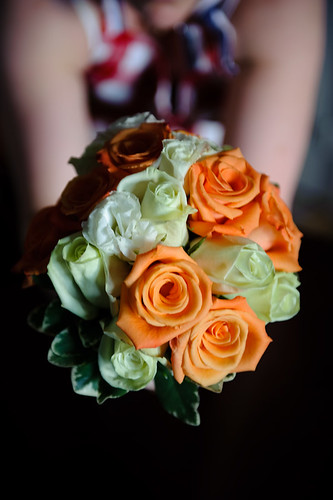
Here's a close up shot of Miriam holding the bouquet.
Bouquet

Thursday, April 2, 2009

Toronto Stock Images Now Available Through juanrojodesign.com - Events, Communities, Urban Architecture, Urban Landscapes, Business Environments and m

As a photographer, my image collection has been growing exponentially and I've decided to make the best selection of all those images available as Rights-Managed and Royalty-Free stock images for Editorial and Advertising purposes. If you can't find what you are looking for, feel free to e-mail me at juan@juanrojodesign.com and let me know what your image requirements are.

Wednesday, March 25, 2009

Image Archive Now Available for Stock Photography and Prints

Due to the growing number of images in my collection and encouraged by the recent purchase of one of them for print, I've decided to incorporate the e-commerce functionality of Photoshelter to my website. In time, I will create specialized collections better suited for stock photography but for the time being, you can access my current files in three different ways:

1. Go to my website: juanrojodesign.com and click on any of the images displayed there, which will take you the Photoshelter space for that image. In there, you'll be able to (options for each image might vary): A.Purchase it as a rights-managed image B. Purchase it as a Royalty-free image or C. Purchase a print thru EZ Labs (U.S.) or Pikto (Canada).

2. Go straight to my Photoshelter site:
http://pa.photoshelter.com/c/juanrojodesign
and browse the Galleries or perform a search

3. Perform a search of my Photoshelter archive from my website. In the upper left corner of my websit you'll see a Search box with the Photoshelter logo. In there, you can input your search string, which will bring up results found in my archive. If nothing comes up, it means I haven't photographed it yet. I always welcome suggestions and feedback on the type of images that you are looking for, as opposed to me trying to push images that might not have any value for art directors, photo editors, graphic designers, etc.

This is my somewhat customized Photoshelter archive:
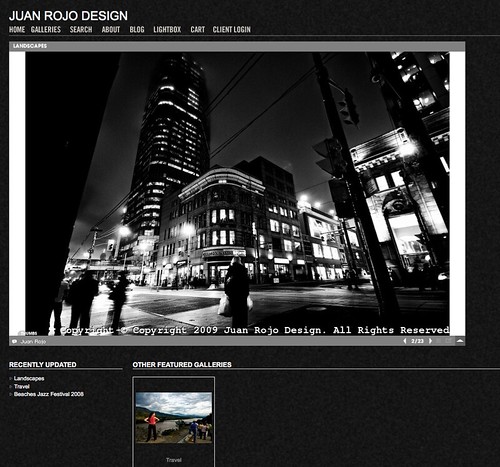
Photoshelter Custom

Saturday, February 7, 2009

Warmer Weather, Sick Again

Well, today is well above the freezing mark and I'm spending it inside my apartment as I've come down sick with a cold again. That can only mean one thing, either go through old shots or do self-portraits. Well, let's just say that I look just like a feel, which is not a good thing. I found a couple of old shots that never made it to Flickr because they needed some post processing added:

On this one I had to clone out a good chunk of a translucent umbrella that was showing up on the left upper corner of the frame:
Detective Alisa

This one needed a bit more colour and contrast added to it:
Detective Alisa 2

I also added more colour and created a blurred background for this one:
Shelley's Alter Ego

Tuesday, January 27, 2009

Studying Light

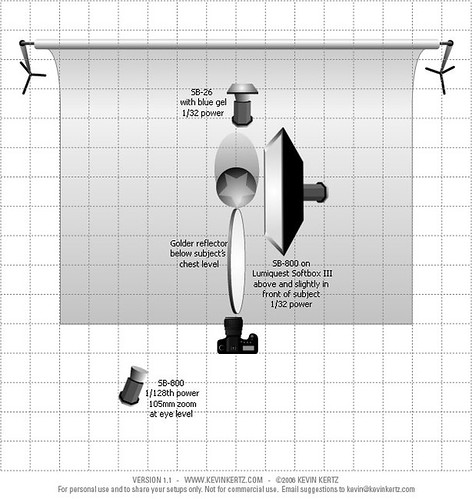
Today I decided to add a few more speedlights into the mix. The following frames were shot using a couple of variations of the following setup:

Blue_Scary_Setup

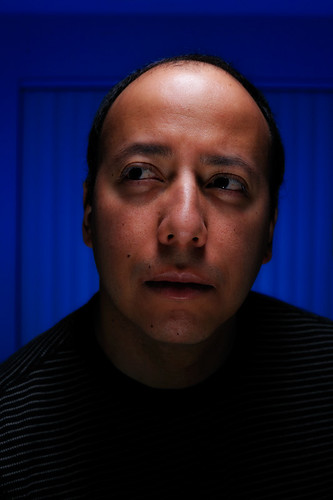
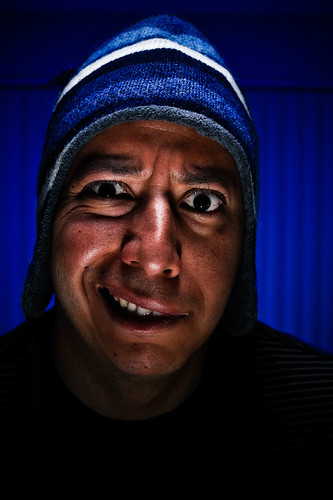
The post-processing for this picture involved a little bit of everything. Converting the NEF file to TIFF using Capture NX, adding a couple of color control points to bump up the saturation of the blue background and add a bit of brightness to the eyes. The TIFF file was brought into Adobe Lightroom and then edited using Photoshop CS4, where a couple of filters (Glamour Glow and High Key) from Color Efex Pro 3.0 were applied. The processed TIFF was then brought back into Lightroom where a variation of Matt K's Nostalgia preset was applied.
Scary Blue-2

Scary Blue-1

Scary Blue-3

Monday, January 26, 2009

More Selfies with Lumiquest Softbox III and Alien Bees

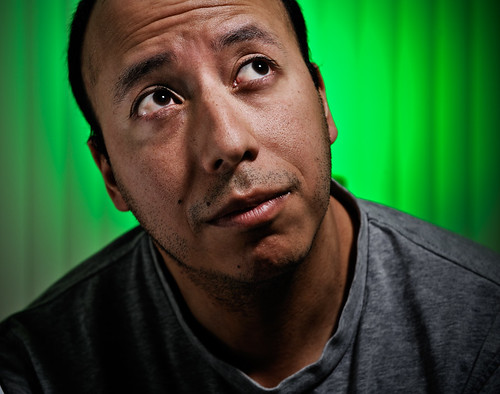
The setup for these shots was just the same as the one for the previous post. The only difference being that the background SB-800 was substituted by a B1600 at 1/32 power with a green gel over the reflector. Both triggered by Pocket Wizards.

More Selfish Silliness-2

More Selfish Silliness-1

Saturday, January 24, 2009

Silliness with the Lumiquest Softbox III

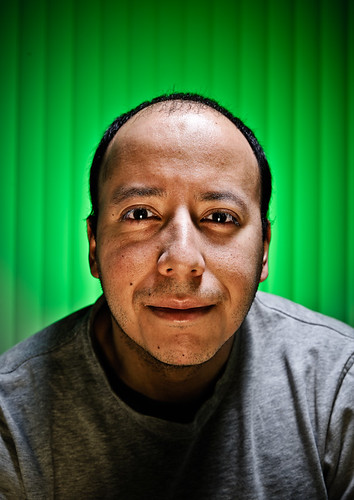
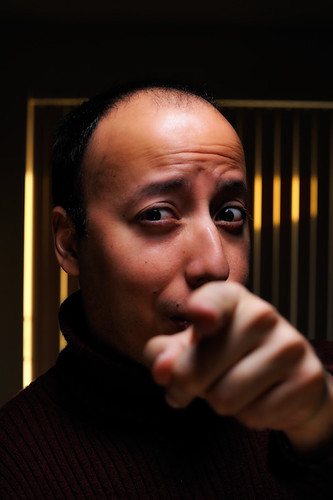
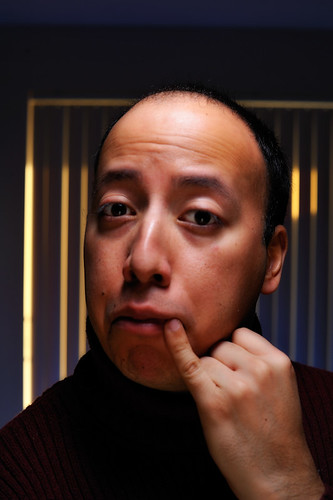
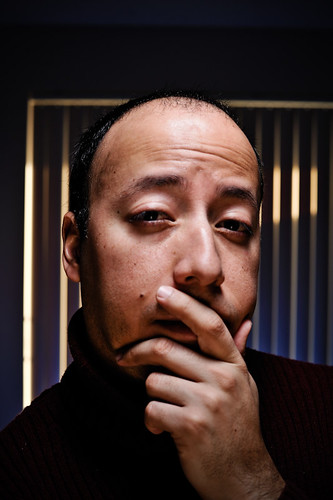
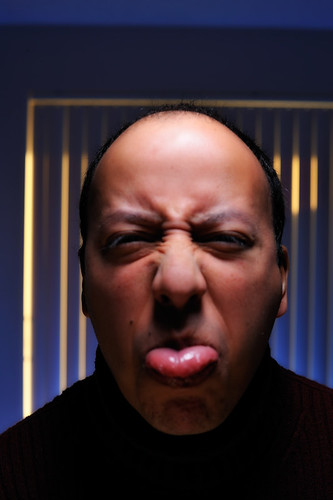
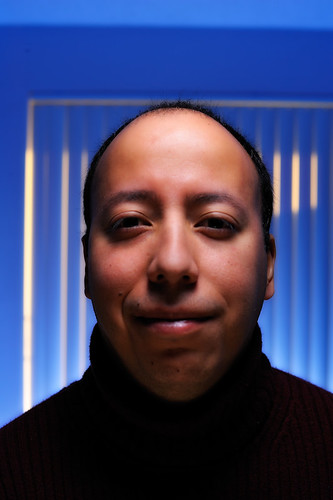
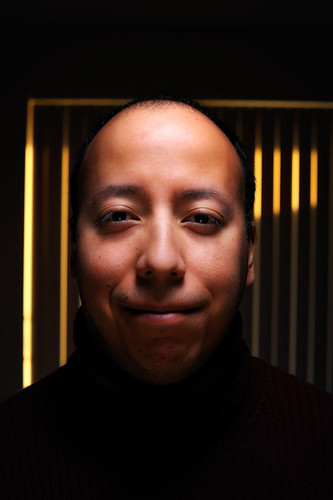
This is pretty much what happens when it's -20C outside and you just don't feel like braving the weather to grab a few shots. I set up one (1) SB-800 with the Lumiquest Softbox III at a 90 degree angle above and slightly in front of me. I tried initially to set it up right above me but it kept producing a very pronounced hot spot on my forehead. I finally decided to move the softbox slightly in front and I bounced the light back to my face with a gold reflector held at chest level. The speedlight was set to manual at 1/32 power and triggered via Pocket Wizards. The few shots that have a blue background were shot using another SB-800 with two (2) blue gels and aimed at the curtains of my condo. The yellow lines in the background were provided courtesy of the sun coming through the curtains. The background SB-800 was also set to 1/32 power and also triggered via PWIIs.

Selfish Silliness-4

Selfish Silliness-6

Selfish Silliness-1

Selfish Silliness-5

Selfish Silliness-3

Selfish Silliness-2

Monday, January 19, 2009

Diversity

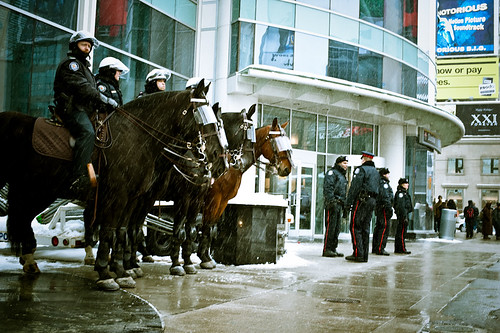
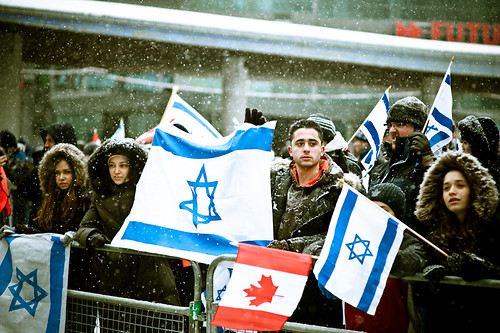
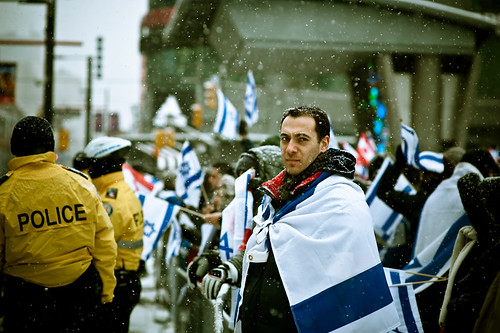
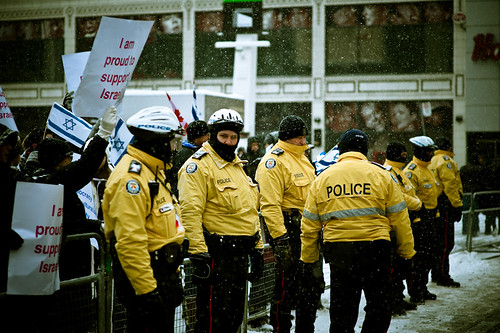
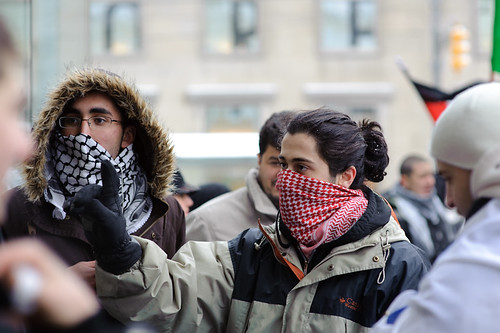
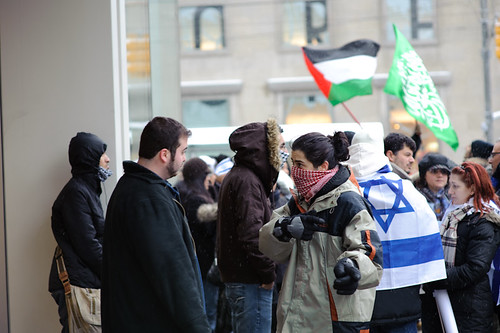
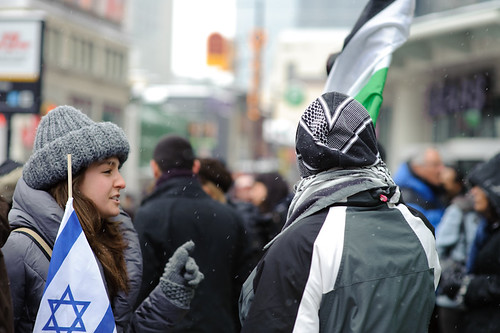
Ever since I moved to Toronto, I've been fascinated with the ethnic diversity of the city. It's quite amazing that so many people from so many different cultural backgrounds and religious beliefs live together in peace on a daily basis. As a photographer, you try to convey that cosmopolitan atmosphere of our city whenever we are are out and about taking pictures. Yesterday (Sunday, Jan. 18), I had such opportunity. A group of students denominated "Students for Israel" were holding a rally at Dundas Square in front of the Eaton Centre. For those who happen to read this blog and don't live in Toronto, Dundas Square is on the East side of Yonge St., which is the main street that divides the city on down the middle. While the rally took place on the East side, on the West side there were a group of Muslim students handing out literature on Islam and also protesting the Israeli offensive in Gaza. While the police were out in force for most of the rally, when it was "officially" over they pretty much left the scene and people from the East side came over to talk to the protesters on the West side. Amazingly enough, people just voiced their opinions, some got into heated discussions, but violence never played a role. That's why I love Toronto! Here are a few shots from the day:

Students_4_Israel-1

Students_4_Israel-20

Students_4_Israel-21

Students_4_Israel-15

Students_4_Israel-45

Students_4_Israel-53

Students_4_Israel-52

Tuesday, December 11, 2007

Toronto and Ontario Landscape Images Available for sale as Rights-Managed and Royalty-Free stock images

You can view the whole gallery here

I've always been fascinated by landscape photography but always found a good excuse not to take those sort of captures myself: "Oh, I live in the city, there aren't many places where I can take interesting landscape shots, blah, blah"

I recently decided to stop looking for excuses and start looking for good locations within the city to setup something somewhat similar to what I had seen in magazines. The few things that I've learned so far and which I think are pretty much standard for this type of photography are as follows:

1. Scout your location first. I live in Toronto, Canada and it can get pretty cold in the winter so if you are crazy enough like me and decide to go outdoors shooting on a cold day, you better have some sort of concept in your head of the shot you are looking for, otherwise the temperatures won't allow you too much time to walk around while trying to figure out what you want to shoot.

2. Get up early or wait for a sunset. Dramatic skies are more evident and have better colour at this time of the day.

Here are a couple of samples all of them taken early in the morning: